
Map CVD Film Uniformity
Where on the wafer is the film thick or thin, and which process variable drives the spread? Set your CVD conditions and get a 300 mm wafer map with a uniformity grade, a contribution breakdown, and a variable-importance ranking.
What you enter
Temperature
Susceptor or chamber temperature for the selected CVD process.
Pressure
Chamber pressure for the deposition step.
Precursor flow
Flow rate of the main precursor gas.
Reactant gas flow
10–500 sccm, default 100 sccm.
Deposition time
10–3600 s, default 600 s.
RF power (PECVD)
Appears when the PECVD process variant is selected.
What you get
Deposition rate
Film growth rate in nm/min for the set conditions.
2D wafer map (300 mm)
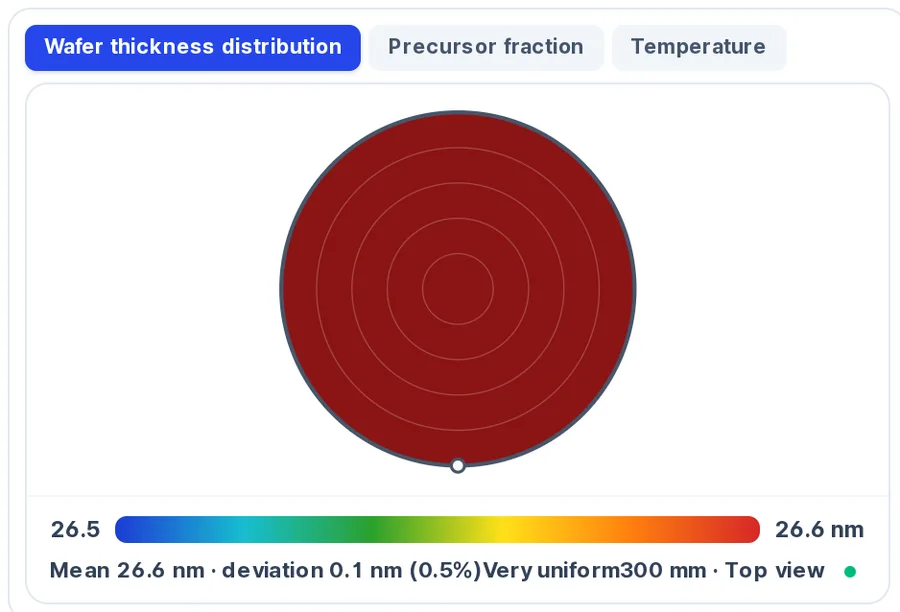
Three selectable tabs — wafer thickness, precursor fraction, and temperature — showing radial distribution across the wafer.
Mean, deviation, and grade
Caption reads Mean … · deviation … (± X %) with a grade: Very uniform (≤ 1 %), Room for improvement (1–2.5 %), or Highly non-uniform (> 2.5 %).
Headline Uniformity metric
Calculated as 100 − 1σ %, so a higher number means more uniform film; distinct from the ± half-range in the map caption.
Non-uniformity contribution by condition
Breaks down how much each process variable contributes to the 1σ non-uniformity, benchmarked against a < 2 % target.
Importance by process variable
Ranks which input has the largest effect on thickness spread.
How to use it
- 1Open the Process design tab and click the CVD button (plasma CVD is chosen through the gas selection).
- 2Set temperature, pressure, precursor flow, reactant flow, and deposition time with the sliders.
- 3Run the prediction to generate the wafer map and uniformity grade.
- 4Switch between the thickness, precursor-fraction, and temperature tabs on the map to diagnose the non-uniformity source.
- 5Review the contribution and importance panels to identify which knob to adjust first.
How the prediction is made
The wafer map is built from a radial thickness profile. The model calculates local deposition rate as a function of position using your input conditions — primarily temperature, pressure, and gas flow — and renders the result as concentric thickness bands across a 300 mm wafer.
Two non-uniformity metrics appear on screen, and they measure different things. The wafer-map caption reports a half-range value: ±(max − min) / (2 × mean) × 100. The headline Uniformity metric uses a 1σ definition: 100 minus the percentage one-standard-deviation spread, so higher is better. The contribution panel benchmarks each variable's 1σ share against a < 2 % target.
The grade thresholds apply to the ± half-range value in the caption. At or below 1 % the grade is Very uniform. Between 1 % and 2.5 % it reads Room for improvement. Above 2.5 % it reads Highly non-uniform. Use the importance panel to find the dominant variable, then adjust that slider to see whether the grade improves.
Limits to keep in mind
- The wafer map is radially symmetric — it shows concentric ring patterns from a radial profile and does not capture azimuthal effects such as slot-valve asymmetry or pump-side tilt.
- The precursor-fraction and temperature tabs are derived from the input conditions with simplified relations, not from a full transport calculation.
- Results are design-reference estimates intended for comparing process directions, not for replacing on-tool metrology.
FAQ
- What do the two uniformity numbers mean?
- The ± value in the map caption is a half-range metric: (max − min) / (2 × mean) × 100. The headline Uniformity number is 100 − 1σ %, where a higher value means tighter thickness spread. The contribution panel uses the 1σ percentage benchmarked against a < 2 % threshold.
- Can the wafer map show left-right or slot-side asymmetry?
- No. The current map is generated from a radial profile, so it renders concentric rings. It does not capture azimuthal patterns such as a pump-port tilt or gas-inlet jet. For that kind of analysis you would need on-wafer measurement data.
- What does the importance panel tell me that the contribution panel does not?
- The contribution panel shows each variable's share of the total 1σ non-uniformity. The importance panel ranks which input has the largest leverage over the spread, which helps you decide which knob to turn first when trying to tighten uniformity.